01
Bringing scattered guidance into one system
Guidance, design assets, and implementation resources had developed across documents, Figma files, internal sites, and code libraries. As VPDS expanded, users needed clearer paths between those resources with simplified access points. After rounds of user research, competitive analysis, and in-depth information architecture planning, I worked with cross-functional partners to address key pain points and help turn distributed material into a navigable system.
From one long document to dedicated pages
The Figma guide collected the guidance in one place. The website gave each topic its own page and a clear entry point.

Topics followed one another in a single document, requiring users to scan or scroll to find the guidance they needed.
View original ↗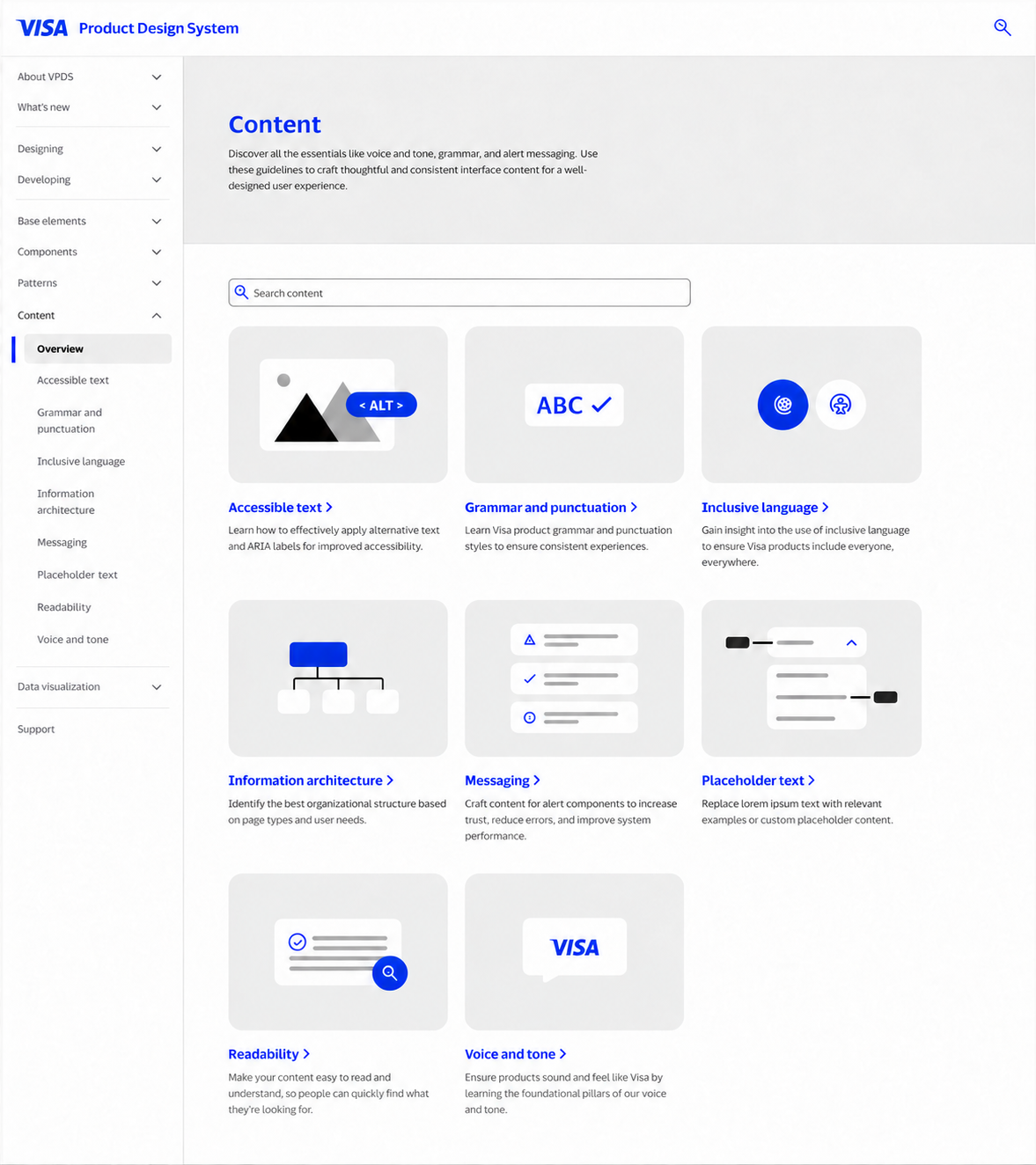
Topic pages and an expanded sidebar provide direct routes to specific guidance.
View original ↗02
A repeatable structure for 42+ components
Turning distributed resources into a simplified experience was a multi-phase project. As we worked to consolidate, simplify, and standardize our resources, the system was still actively expanding.
Before adding new components to the system, we needed our guidance structure to be scalable. After investigating the most useful information for our users, I helped develop a shared content model that brought usage, behavior, content, accessibility, and development guidance into a predictable hierarchy.
Each page tested the structure: could it accommodate the detail this component needed while keeping guidance consistent across the library?
Shared component-guideline template
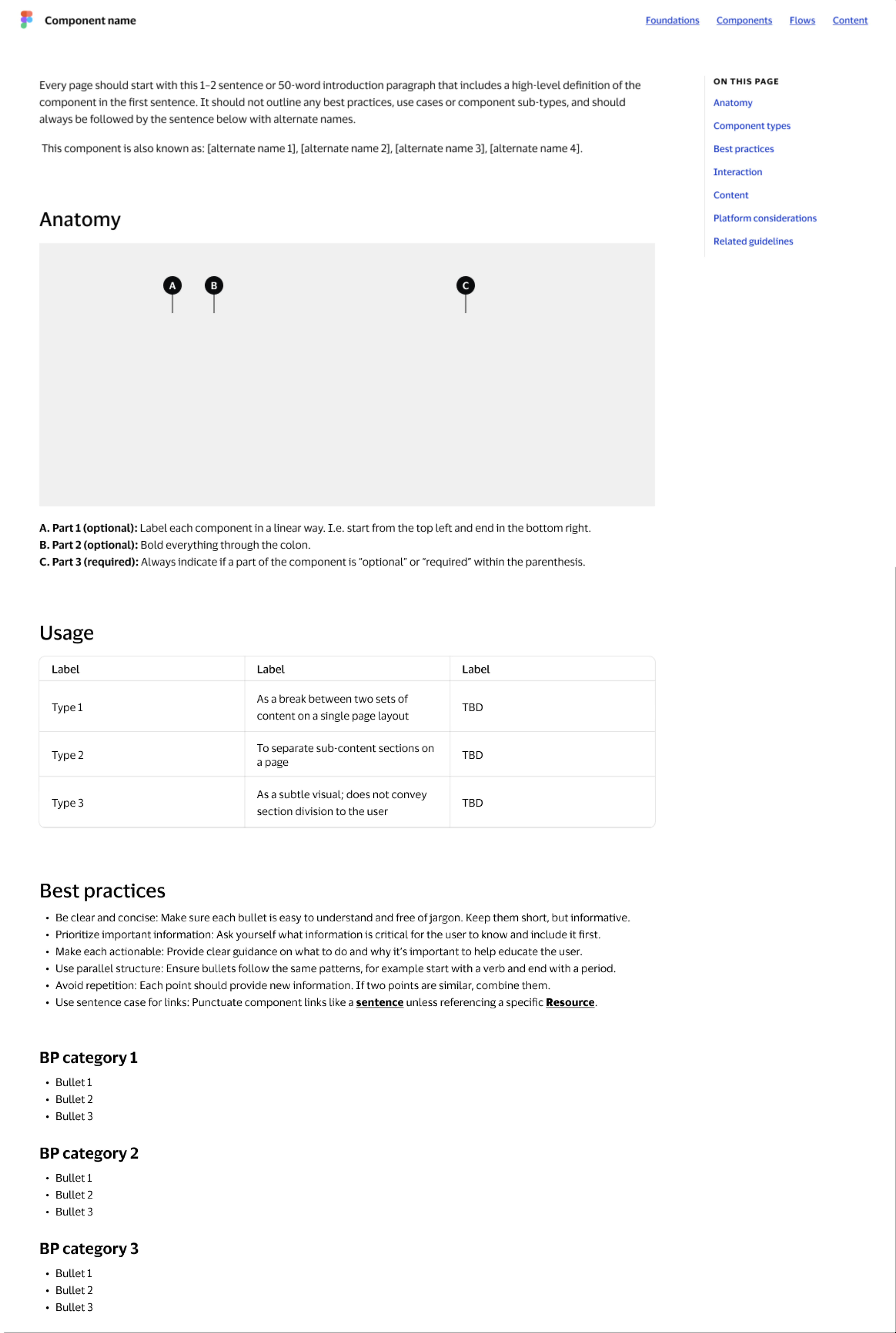
- Definition and alternate names.
- Predictable anatomy and usage sections.
- A consistent hierarchy for detailed guidance.
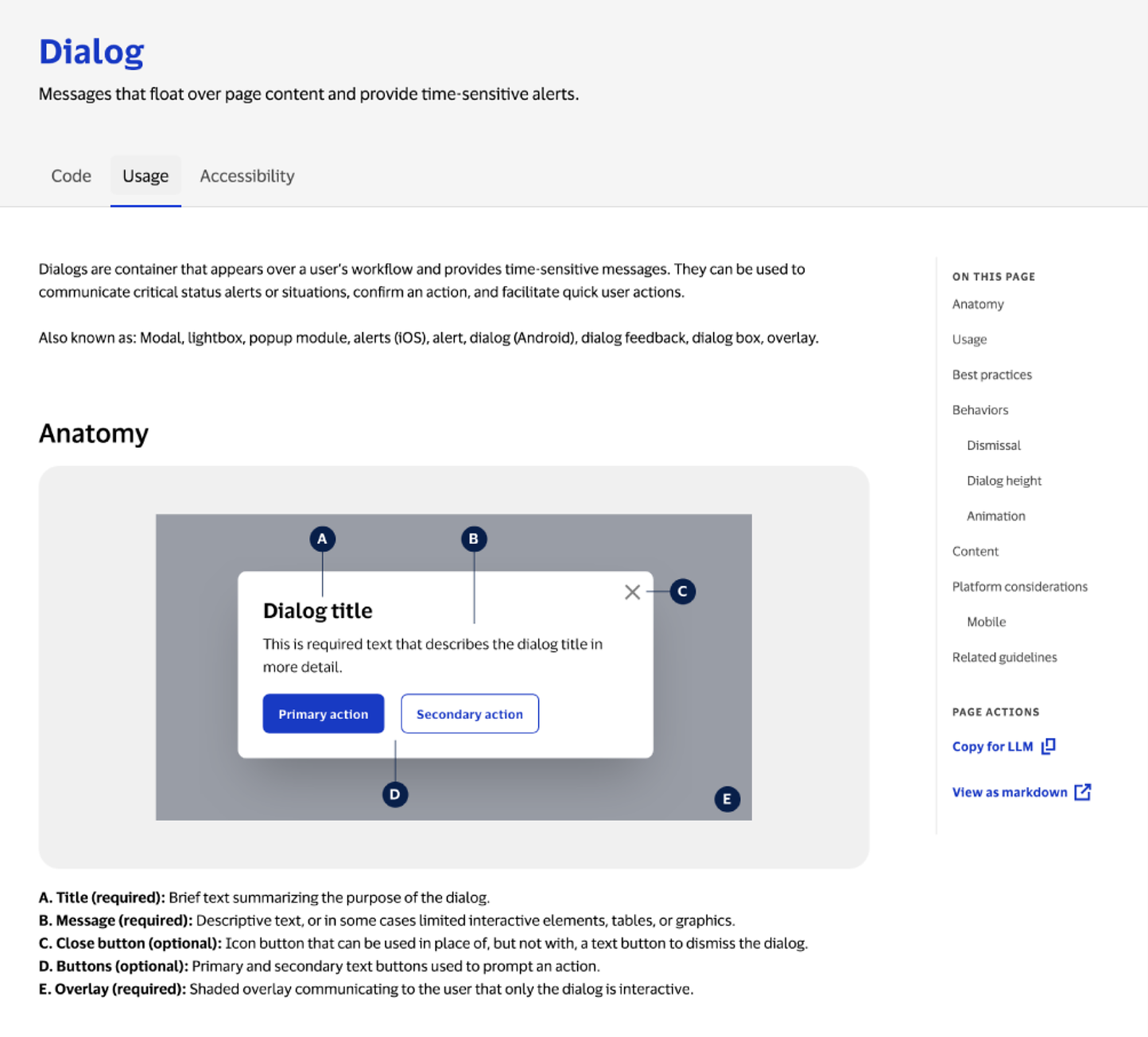
The model applied to Dialog guidance
03
Resolving differences between design and code
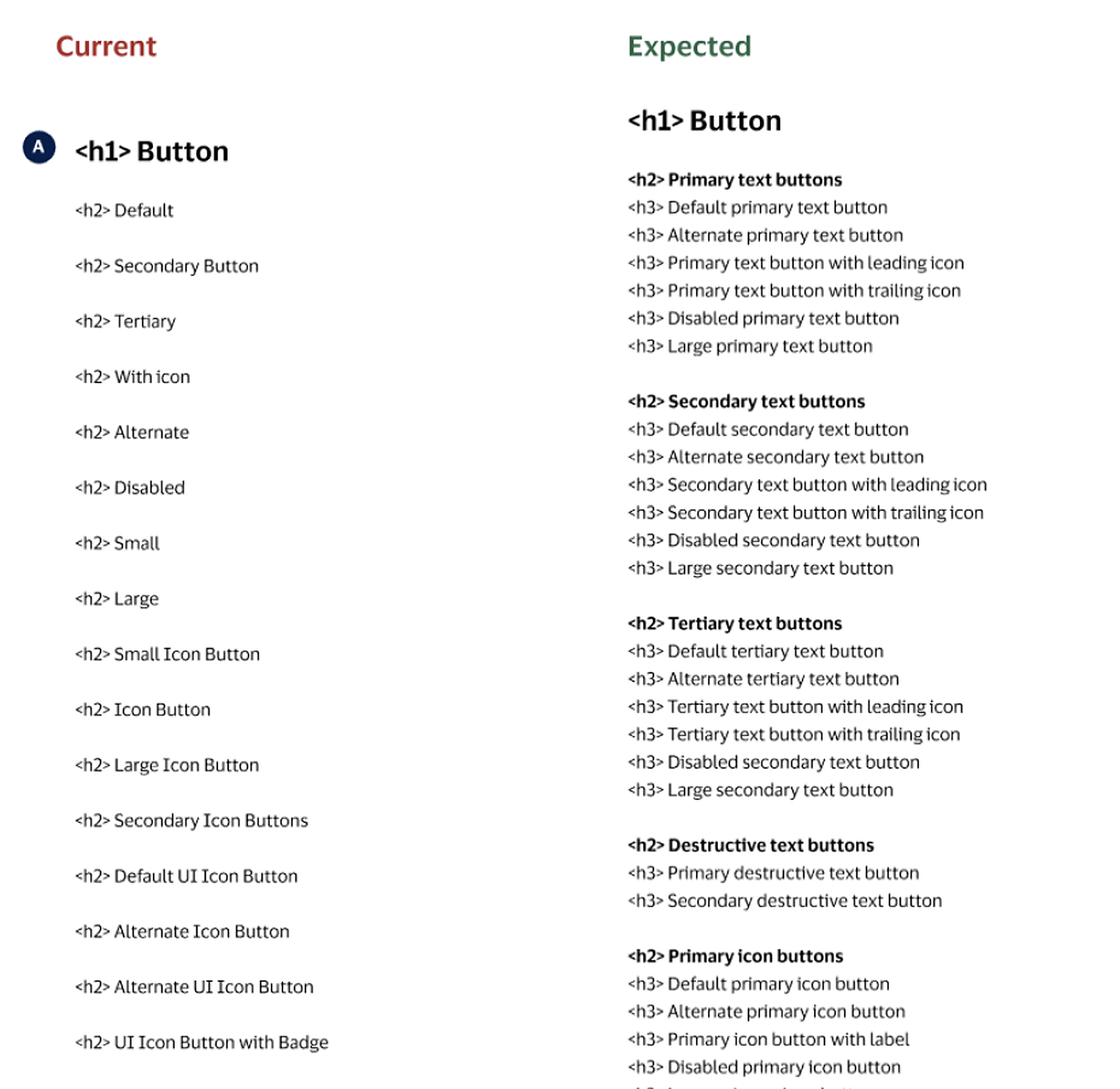
Applying our new content model across 42+ components meant deeply investigating the contents of our system. Ensuring accurate guidance for each element meant examining how it worked across development frameworks. Simple naming differences frequently revealed inconsistencies in component variants, examples, or coded behavior.
Content design quickly became the connective infrastructure between disciplines. By investigating inconsistencies to ensure written guidance was accurate, we drove a significant standardization effort across development libraries, resulting in a more usable, scalable system.
Current and expected naming for the Button component
Annotated comparisons across coded examples
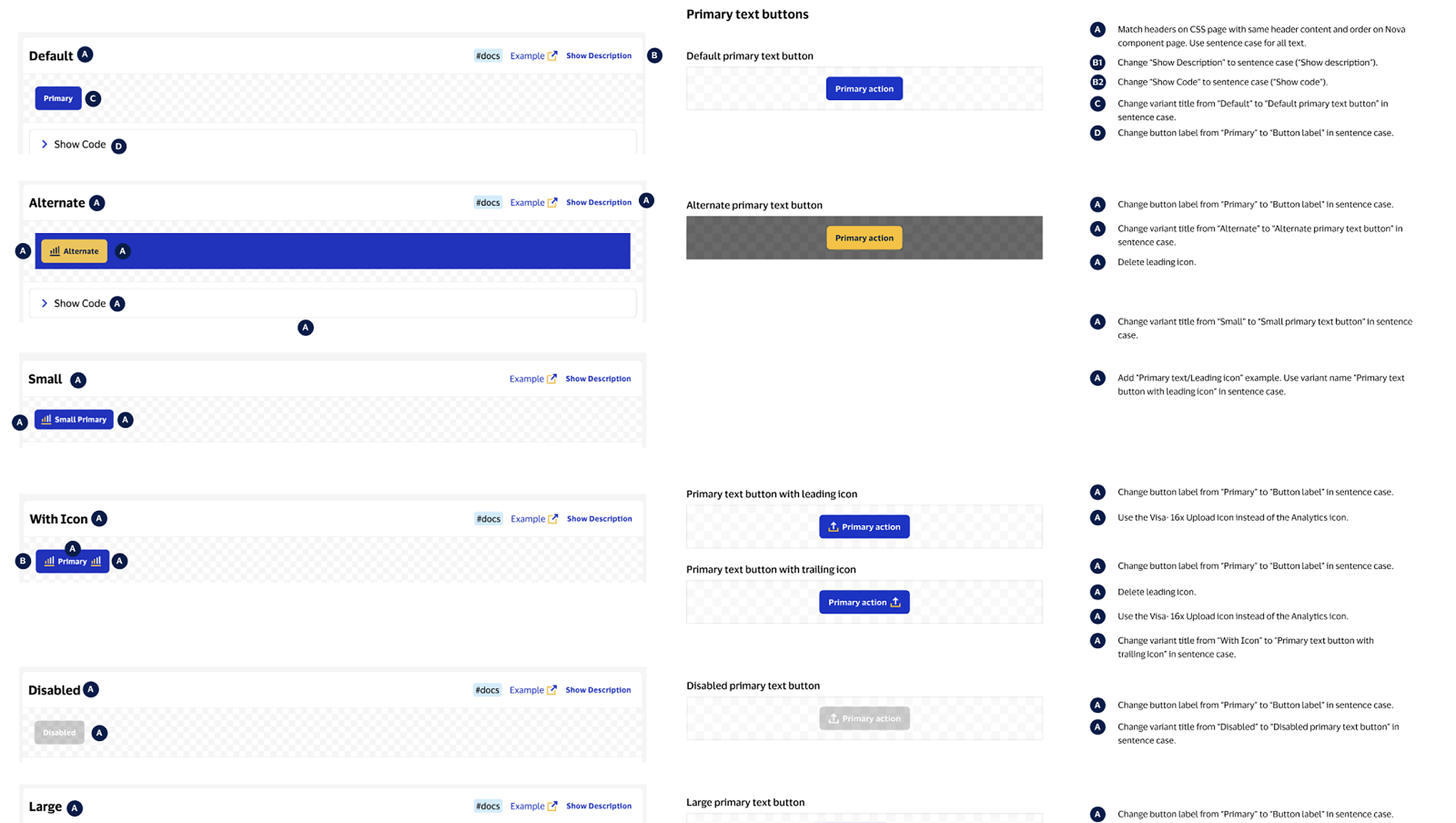
Component reviews, decision logs, consistency checks, and QA helped carry shared decisions into guidance as the system expanded. My work connected the broader content structure to detailed reviews with design, engineering, and accessibility partners.
04
Clarifying navigation and restoring Patterns
With clearer guidance in place and Figma pages translated into an MVP website, additional research helped us examine whether our proposed navigation matched what people expected to find. Based on additional user research, I helped revisit the distinction between Components, Patterns, and Flows and advocated for reintroducing Patterns with a clearer definition.
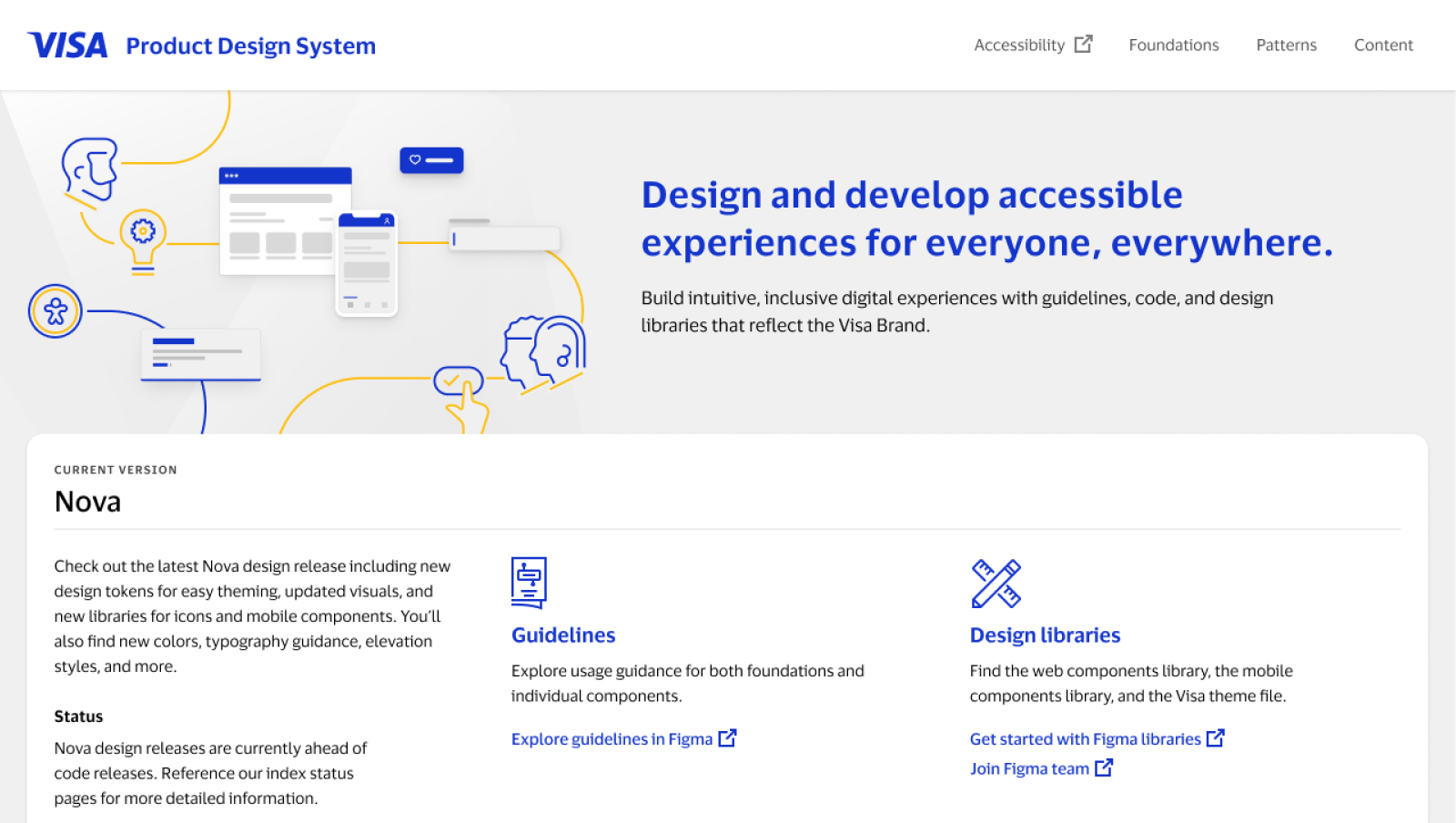
The homepage directed users to separate Figma resources for component guidance and design libraries.
View original ↗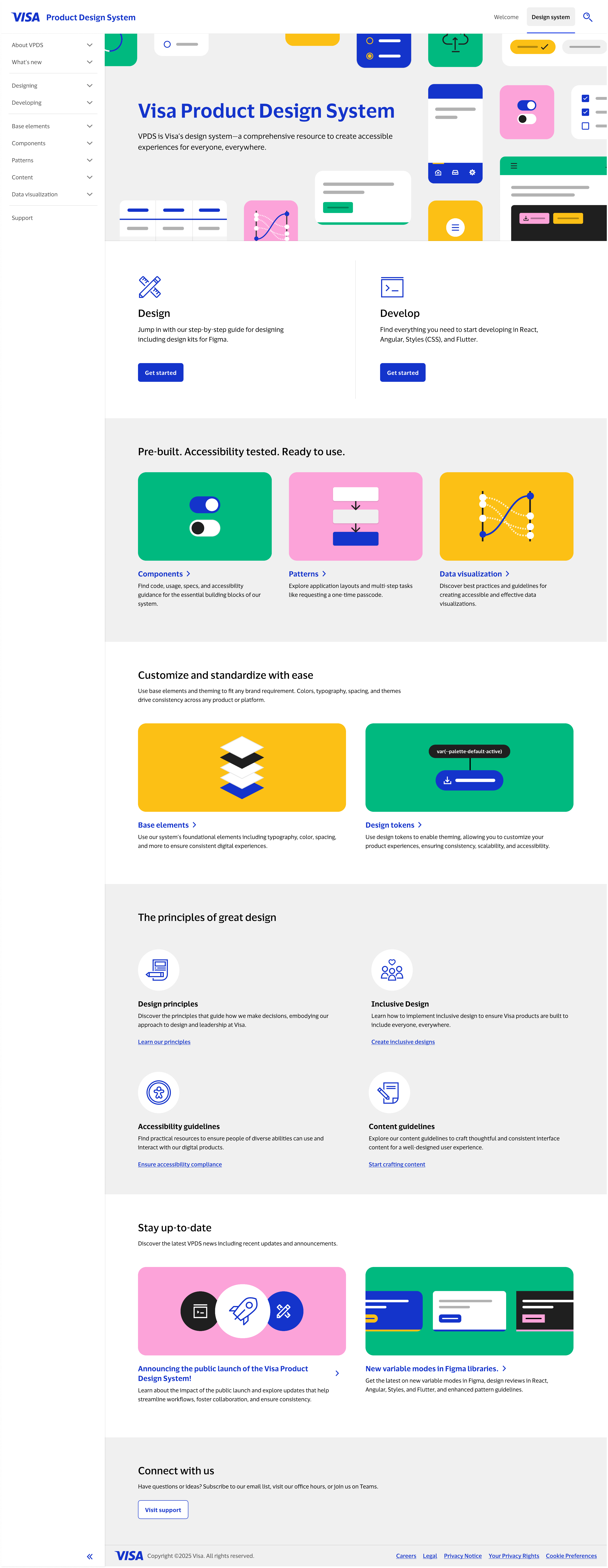
Design and Develop entry points connect users to components, patterns, and other resources. Scroll to explore the page.
View original ↗Patterns described how components worked together to solve recurring interaction problems. Clarifying that role helped organize guidance around what users needed to do.
05
Preparing the system for a public audience
For the public launch, guidance needed to support people without Visa’s internal context. I contributed to onboarding pathways and Getting Started guidance across React, Angular, CSS, and Flutter, working with engineering partners to balance a consistent structure with each framework’s implementation requirements.
01 · Choose a starting point
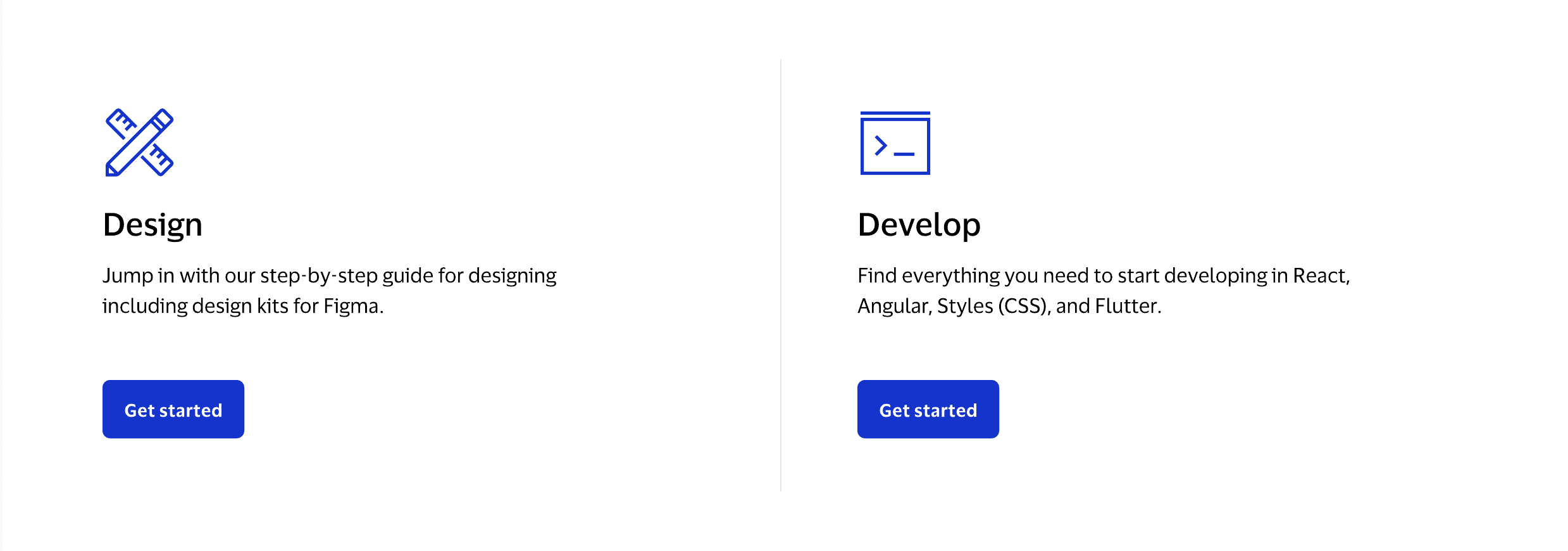
The Develop entry point leads to guidance for getting started with the system, shown next. View original ↗: Design and Develop entry points, each with a Get started button, cropped from the VPDS homepage 02 · Select a framework
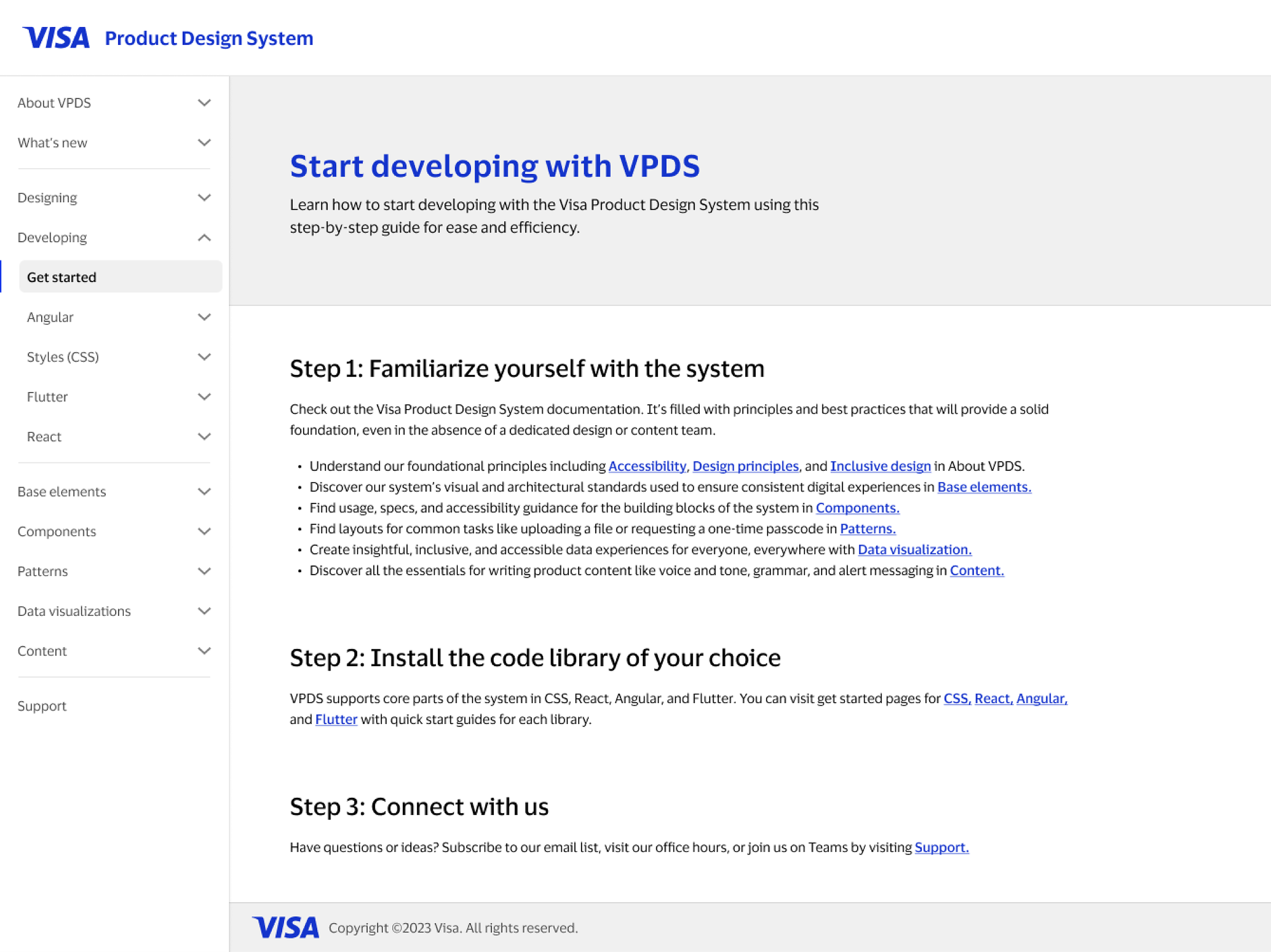
The overview introduces the system and links to a Getting Started guide for each development framework. View original ↗: Start developing with VPDS overview with system orientation and links to CSS, React, Angular, and Flutter setup guides 03 · Follow setup guidance
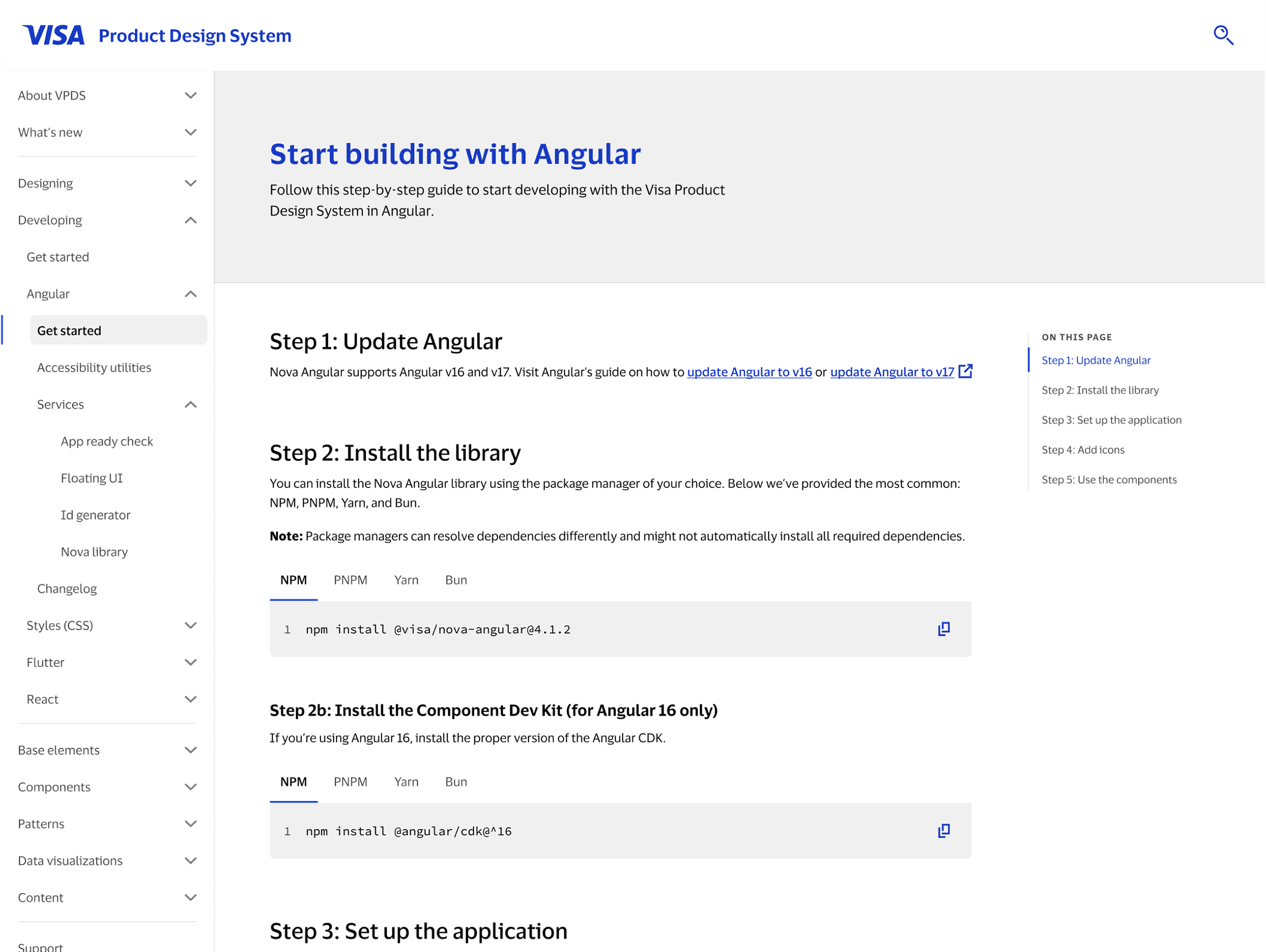
Choosing Angular leads to its version requirements, package-manager options, and installation steps. View original ↗: Start building with Angular guidance showing framework requirements, package managers, and installation commands
My launch work also included content auditing, SEO and landscape analysis, QA, release communications, and coordination with legal, brand, and accessibility partners.
06
From internal MVP to public platform
- Design MVP · 2023Dispersed resources were organized into an internal-only MVP site.
- Reusable content structuresClearer connections between guidance and implementation, with shared structures for maintaining and expanding the system.
- Public launch · March 2025Guidance, design assets, and implementation resources brought together at design.visa.com ↗.
Helping VPDS grow taught me to investigate the product beneath the language. A naming inconsistency could reveal a difference in behavior; a documentation problem could reveal a gap in the system’s structure. Connecting those details across content, design, and engineering became central to how I approach complex products.